

0 Dokumentacja)
common-we-found-results-matching "0" in 0 ms
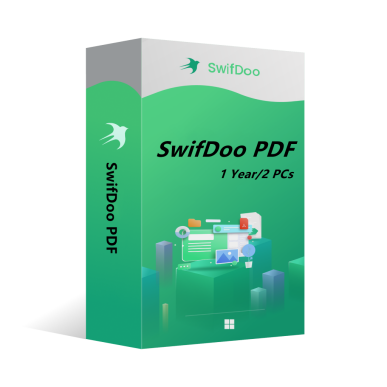
SwifDoo PDF Annual Plan 2PCs 1 Year CD Key Global
-20%
Nowy Gorąco

SwifDoo PDF Annual Plan 2PCs 1 Year CD Key Global

SwifDoo PDF is an all-in-one PDF editor. The program actually contains a lot of other PDF tools. Along with the editor feature, there are a variety of options to convert PDFs into more editable formats such as Word and PowerPoint files, and you can save space by combining individual PDF documents into one file.
Pokaż całą zawartość
235.24PLN 292.52PLN
Platforma:
PC
Region:
Global
Tagi:
Antivirus & Security
Zbiory:
W magazynie
1-500
Jak aktywować?

Może Ci się spodobać

Jeszcze

SwifDoo PDF is an all-in-one PDF editor. The program actually contains a lot of other PDF tools. Along with the editor feature, there are a variety of options to convert PDFs into more editable formats such as Word and PowerPoint files, and you can save space by combining individual PDF documents into one file.

Key features of SwifDoo PDF include:

View and edit PDF documents.

Compress PDF documents.

Convert PDF files to other formats.

Split and merge multiple PDF files.

Sign and password protect PDF documents.

Add/Remove watermarks to PDF documents.

OCR


OS: Win 11, 10, 8, 7, and XP (32 & 64)

License Type: 1 license for 2 PCs


The activation code is the "1-Year Pro" license, which supports 2 PCs with version upgrade protection. In such case, you need not to pay additional fee to upgrade the current version to each later version within 1 year.


To install SwifDoo PDF:

Run the setup program -> Accept License Agreement -> Select destination location -> Follow the installation guide -> Finish


Online Registration

After acquiring a SwifDoo PDF license key, visit and login the user center at https://www.swifdoo.com/usercenter and a Redeem-Code window pops up. At this time, you need to copy the activation code you received and paste it into the Redeem-Code box, then press Submit. By doing these, you have finished online registration.


Notes

For a successful registration, please make sure no blank is left in any location of the activation code.

Ile czasu potrwa otrzymanie klucza po zakupie? Gdzie go znaleźć?
Klucz zostanie automatycznie wysłany w ciągu 3-5 minut. Znajdziesz go w sekcji „Moje zakupione zamówienia”.
Co zrobić, jeśli klucz nie aktywuje się?
Istnieje wiele przyczyn nieudanej aktywacji. Najczęstszym problemem jest niekompatybilność systemu z zakupionym kluczem. Najpierw sprawdź, czy wersja Twojego systemu (np. Windows Pro) spełnia wymagania. Jeśli problem nadal występuje, skontaktuj się z naszą całodobową obsługą klienta – szybko pomożemy wymienić klucz.
Jak zażądać zwrotu pieniędzy lub wymiany towaru?
Aby zażądać zwrotu lub wymiany, skontaktuj się z całodobową obsługą klienta i podaj: • Numer zamówienia • Odpowiednie zrzuty ekranu (np. komunikat błędu aktywacji, szczegóły zakupu). Rozpatrzymy Twoją prośbę jak najszybciej.
Ile czasu trwa realizacja zwrotu pieniędzy?
Zwroty za płatności PayPal realizowane są natychmiast. W przypadku płatności kartą lub przelewem bankowym środki zazwyczaj docierają w ciągu 7-10 dni roboczych, w zależności od banku i lokalnych przepisów. W razie pytań dotyczących statusu zwrotu skontaktuj się z nami w dowolnym momencie.
Informacje o zwrotach i wymianach
Aktywuj licencję w ciągu 180 dni od zakupu. W przypadku problemów w tym okresie oferujemy bezpłatną wymianę klucza.